<- View all workflow automations

Classify and route documents automatically

Drop a mixed stack of documents. Lido classifies each one and routes it automatically.
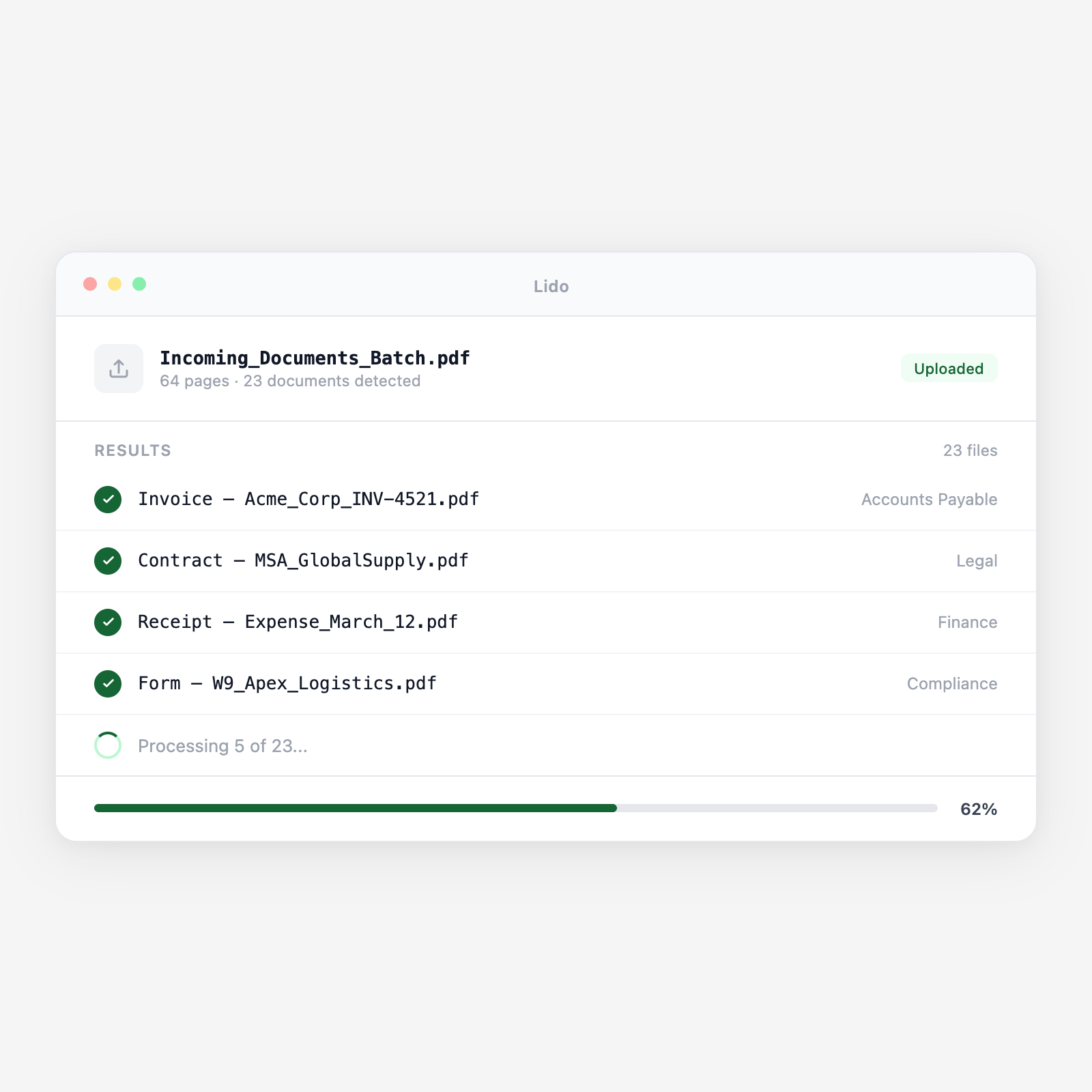
  • Any document mix. Invoices, contracts, forms, IDs — classified automatically.
  • Your routing rules. Route by type, vendor, or keyword. Applied to every document.
  • Continuous processing. Connect a folder or inbox for always-on classification.
Trusted by thousands of finance and operations teams

How classify and route works in Lido

1

Upload documents

Drop a batch of mixed documents or connect a watched folder. PDFs, images, and scans accepted.

2

Classify each document

Lido reads every page and identifies the type — invoice, contract, form, ID, or correspondence.

3

Route to destination

Each classified document goes to folders, shared drives, email, or another Lido workflow.

Why teams stop sorting documents by hand with Lido

The manual sorting loop

  • Someone opens each file, reads it, and decides the document type manually.
  • With 500 files the sorting takes a full day of focused attention.
  • Misfiles happen constantly and surface only when someone needs the document.

The Lido approach

  • Upload the batch and every document is classified in seconds automatically.
  • Each file routes to the correct destination folder without manual sorting.
  • No one opens a single file—your team handles exceptions only.
Document automation

Sort hundreds of documents in the time it takes to open one.

Upload a mixed batch. See each document classified and routed in minutes.

Zero manual sorting

Every document in the right place, every time.

Try Lido free. Upload your first batch and watch it sort itself.

Stop sorting documents by hand

Try Lido free. Upload a mixed batch and see every document classified and routed in minutes.