Automate your bank statement conversion with the #1 AI data extraction tool. Extract specific data from any bank statement with no model training or complex setup required.
Save time by automating manual data entry
Reduce errors and improve accuracy
Scale without hiring more people
Lido doesn't work on mobile yet, but we'll send you an email with your login details for when you're back at a desktop!
Oops! Something went wrong while submitting the form.
👋 Let's personalize your experience!
Oops! Something went wrong while submitting the form.
No credit card required
50 free pages
Trusted by thousands of finance and operations teams
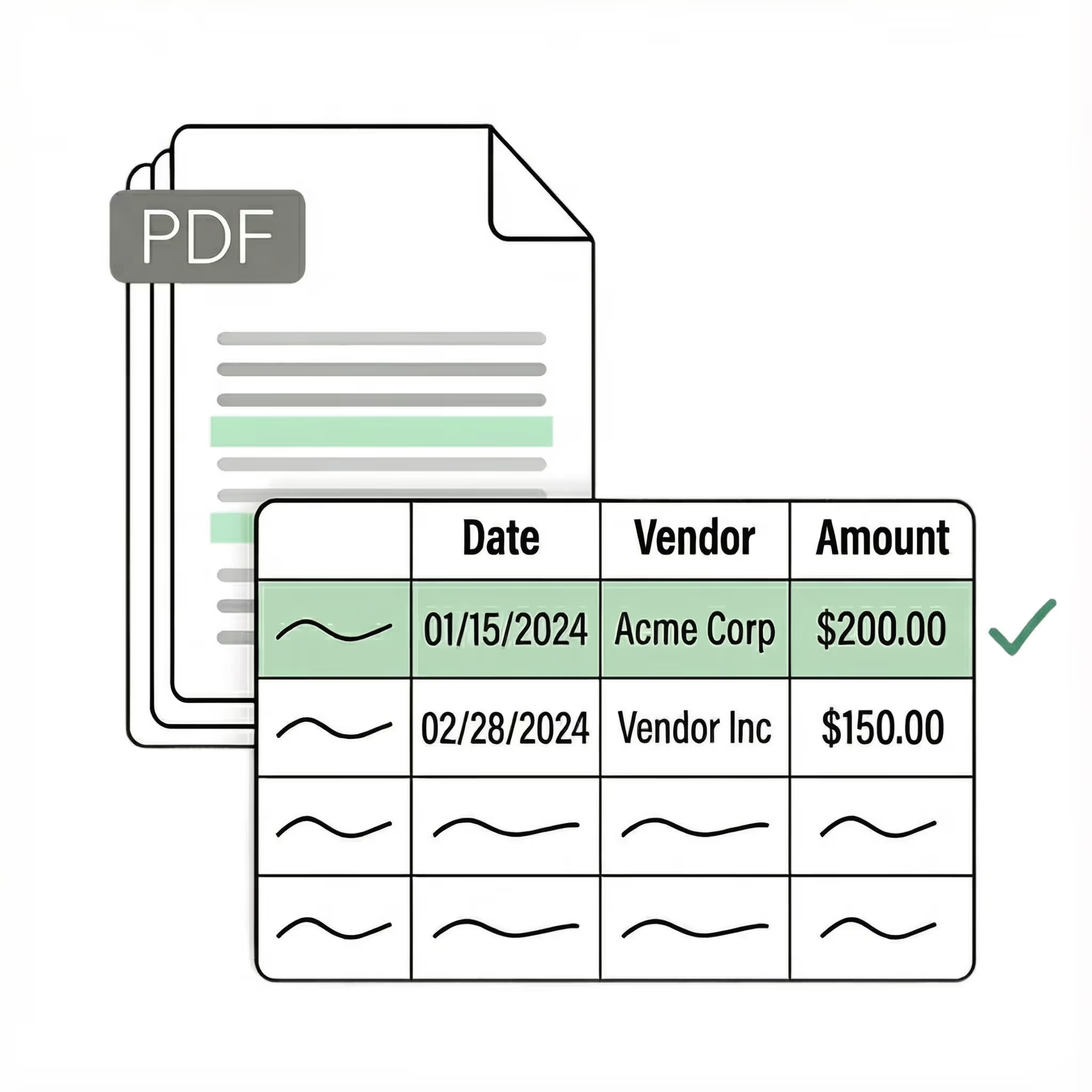
A bank statement converter is software that reads PDF or scanned bank statements and extracts transaction data — dates, descriptions, amounts, and running balances — into structured formats like Excel, CSV, or QBO for import into accounting software. Lido's AI-powered bank statement converter handles statements from any bank without templates, achieving 99.9% accuracy on scanned documents, with output ready for QuickBooks, Xero, or direct analysis in spreadsheets. Processing starts at $29/month for 100 pages, with 50 free pages to test. For a full comparison of conversion tools, see our guide to the best bank statement converters.
Convert Bank Statements to Excel or CSV
Upload your own PDF bank statements and see how Lido works with your documents.
Lido doesn't work on mobile yet, but we'll send you an email with your login details for when you're back at a desktop!
Oops! Something went wrong while submitting the form.
Lido doesn't work on mobile yet, but we'll send you an email with your login details for when you're back at a desktop!
Oops! Something went wrong while submitting the form.
No credit card required
50 free pages
Demo video
See Lido in action
Watch and learn how you can use Lido to extract data from any PDF in less than 5 minutes.
How it works
How to Convert Your Bank Statement Into Excel or CSV
Step 1:
Upload bank statement
Select native PDF bank statements or PDF containing scanned images of bank statements to upload. You can also drag and drop your bank statements into the upload box.
Step 2:
Convert to structured data
Lido uses advanced AI technology to identify and extract relevant data from your financial statements and convert them into structured data.
Step 3:
Download your Excel or CSV file
Within a few seconds, you can download your converted table and data in Excel or CSV file format.
Download your extracted bank statement data in the format your accounting software expects. No column remapping or manual cleanup required.
Excel .xlsx
A clean spreadsheet with one row per transaction. Dates, descriptions, amounts, and running balances map to columns automatically. Works with Excel 2007 and later, Google Sheets, and LibreOffice.
CSV .csv
A universal flat file that imports into virtually any system. Each transaction is a row with comma-separated fields. Use this when your destination software doesn't accept Excel or QBO files directly.
QuickBooks .qbo
Import transactions directly into QuickBooks Online or Desktop without reformatting. The QBO file maps dates, descriptions, amounts, and check numbers to the fields QuickBooks expects. Skips the usual CSV-to-QuickBooks cleanup entirely.
Xero .csv
A Xero-ready CSV with Date, Amount, Payee, Description, and Reference columns in the order Xero expects. Upload under Accounting > Bank Accounts > Import a Statement. Xero parses it into your bank feed for reconciliation without manual column mapping.
QIF .qif
Quicken Interchange Format for import into Quicken, MYOB, and older accounting systems that accept QIF. Each transaction carries date, payee, amount, and memo fields in the standard QIF structure.
Tally XML .xml
Bank statement data in Tally-compatible XML for direct import into Tally ERP 9 and TallyPrime. Transaction dates, particulars, and amounts map to Tally's voucher structure without manual reformatting.
JSON .json
Structured transaction data for custom integrations, internal tools, or downstream processing. Each transaction object includes date, description, amount, balance, and any extracted metadata like check numbers or transaction types.
REST API api
Access extracted data programmatically. Send a bank statement, get structured JSON back. Build it into your own workflows — onboarding pipelines, reconciliation systems, or client portals — without manual file handling.
Why use a bank statement converter instead of manual entry?
Manual processing: A bookkeeper entering transactions from a 30-page bank statement takes 45-60 minutes, introduces 2-4% error rates, and costs $20-35/hour in labor. Multiply by 20 clients and you're spending a full work week on data entry every month.
Lido's AI bank statement converter: Upload the same 30-page statement, get structured output in under 2 minutes. 99.9% accuracy on scanned documents. No per-bank template setup — works on Chase, Wells Fargo, Bank of America, regional banks, and credit unions with the same accuracy.
Manual entry
Lido AI converter
Time per 30-page statement
45–60 minutes
Under 2 minutes
Error rate
2–4%
0.1%
New bank format
Same speed (still manual)
Same speed (no templates)
Scanned / faxed statements
Harder to read, more errors
99.9% accuracy with OCR
Monthly cost (20 clients)
$800–$1,400 in labor
$29–$99/month
Scales with volume
Hire more staff
Same tool, same speed
See how Lido compares to DocuClipper for bank statement processing.
Who uses bank statement converters?
Accounting firms and bookkeepers: Monthly reconciliation across dozens of clients means processing statements from every bank imaginable. A firm handling 30 clients might see Chase, Wells Fargo, a regional credit union, and three community banks, all in different layouts. Template-free conversion handles that without per-bank setup.
Financial services and lending: Underwriting teams pull transaction history from applicant bank statements to verify income, spending patterns, and cash reserves. Speed matters here because loans sit in queue until the data is extracted.
Forensic accounting and litigation support: Fraud investigations and legal discovery often require converting years of bank statements into searchable, sortable transaction data. The volume is high, the formats are old, and many statements are scanned from paper originals.
Property management: Reconciling tenant payments against bank deposits across multiple properties and accounts. When you manage 50+ units, matching rent payments to the right tenant and the right property is tedious without structured data.
Small business owners: Bank feeds don't always work, and they don't cover every account. Converting a PDF statement to Excel or importing it directly into QuickBooks or Xero fills the gap without manual typing.
Security
Enterprise grade security and compliance
SOC 2 Type 2
HIPAA
Encryption
Information safeguarded with AES-256 encryption, both at rest and during transmission.
No training on your data
Your data remains untouched for AI training, backed by comprehensive data processing agreements.
Pricing
Pricing that scales for every use case
Enhanced Pricing Component
Standard
Best for fast, accurate extraction from PDFs and other documents.
$29 / mo
100 pages / mo
1 user
Convert any file type
Export to Excel, CSV
Scale
Designed for teams automating multi-step document workflows, from extraction to validation to ERP.
$7,000 / yr
42,000 pages / yr
Up to 10 users
API & Workflow access
Priority email & chat support
Enterprise
Custom workflows, validation logic, and ERP integrations for complex, high-volume operations.
From $35,000 / yr
Custom page limits
Custom ERP integrations
Dedicated US-based account manager
Live US-based onboarding & support
Frequently asked questions
What is a bank statement converter?
A bank statement converter is software that reads PDF bank statements and turns them into structured spreadsheet data — Excel, CSV, or accounting formats like QBO and QIF. Instead of manually typing each transaction, the converter uses AI to extract dates, descriptions, amounts, and running balances automatically.
Most converters fall into two categories. Basic ones use fixed templates that break when banks change their statement layout. AI-powered converters like Lido read the document the way a person would, adapting to any bank's format without setup or configuration. The output is a clean spreadsheet with one row per transaction, ready for reconciliation in QuickBooks, Xero, or whatever accounting system you use.
How do I convert a PDF bank statement to Excel?
Upload your bank statement PDF to Lido. The AI reads the full document — transactions, dates, amounts, balances — and structures everything into rows and columns. You'll see a preview of the extracted data within seconds. Review it, make any edits, then download as an Excel .xlsx file.
This works with both digital PDFs (the kind you download from online banking) and scanned paper statements. Digital PDFs process at 99.9% accuracy. Scanned statements typically hit 98%+, depending on image quality. The whole thing takes under 30 seconds per statement, compared to 15-45 minutes of manual data entry.
Can I convert bank statements to QuickBooks (QBO)?
Yes. Lido exports bank statement data directly to QBO format, which you can import into QuickBooks Online or QuickBooks Desktop. The exported file maps transactions to the standard QuickBooks fields: date, description, amount, and check number.
To import into QuickBooks Online: go to Banking, click Upload Transactions, and select the QBO file Lido generated. QuickBooks will match each transaction to the correct account. For QuickBooks Desktop, use File, then Utilities, then Import, then Web Connect Files.
This skips the usual pain of converting to CSV first, reformatting columns to match QuickBooks' expected layout, and troubleshooting import errors. The QBO file is ready to import without cleanup.
How do I import converted bank statements into Xero?
Lido exports to CSV in the format Xero expects: Date, Amount, Payee, Description, Reference, and Check Number columns in the right order. No reformatting required on your end.
In Xero, go to Accounting, then Bank Accounts, select the account, and click Import a Statement. Upload the CSV from Lido. Xero will parse the transactions and add them to your bank feed for reconciliation.
If you're processing statements from multiple banks, Lido keeps each bank's transactions in a separate output file, so you can import them into the correct Xero bank account without manual sorting.
What export formats does Lido support for bank statements?
Lido exports bank statement data to Excel (.xlsx), CSV, QuickBooks (QBO), Xero-compatible CSV, QIF (for Quicken), JSON (for custom integrations), and Tally XML (for Tally ERP). You can also pull extracted data through the Lido API for direct integration with your own systems or workflows.
All formats include the same core data: transaction date, description, debit/credit amount, and running balance. Accounting-specific formats like QBO and QIF also carry bank-specific fields such as check numbers and transaction types.
Does this work with scanned or photographed bank statements?
Yes. Lido handles digital PDFs, scanned paper statements, and phone photographs. Digital PDFs downloaded directly from your bank portal are the easiest — the text is already machine-readable, so accuracy hits 99.9%. Scanned paper statements go through OCR first; with a clear 300 DPI scan, expect 98%+ accuracy. Photographed statements also work, though quality depends on lighting and angle. A well-lit, flat photo processes about as cleanly as a scan. In all three cases, you get the same structured output: one row per transaction with date, description, amount, and balance.
Do I need to set up templates for each bank?
No. Lido's AI reads the structure of each bank statement on its own. There are no templates to configure, no extraction rules to define, and no training period. Upload a statement from Chase, Bank of America, HSBC, a local credit union, or any of the thousands of banks worldwide — the AI figures out where the transactions, dates, and amounts are.
This matters because older OCR tools require you to draw zones or define column positions for each bank's layout. When a bank updates its statement format (which happens regularly), those tools break and need reconfiguration. Lido adapts automatically.
How accurate is AI bank statement conversion?
Lido extracts transaction data from digital PDF bank statements at 99.9% accuracy. For scanned paper statements, accuracy ranges from 97% to 99%, depending on scan quality and the age of the document.
In practice, on a statement with 200 transactions, you might need to correct one or two fields rather than manually entering all 200 rows. Lido shows you a preview of every extracted transaction before you download, so you can spot and fix any discrepancies before exporting.
The biggest accuracy variable is input quality. A PDF downloaded from your bank's website processes near-perfectly. A faded photocopy of a ten-year-old statement will have more errors, but Lido flags low-confidence fields so you know exactly where to double-check.
How much does a bank statement converter cost?
Lido starts at $29/month for 100 pages, which covers roughly 10-15 bank statements depending on length. Higher volume plans run $119/month for 500 pages or $199/month for 1,000 pages. Enterprise plans for teams processing tens of thousands of pages per month start at $7,000/year.
All plans include the same extraction quality, all export formats (Excel, CSV, QBO, Xero, QIF, Tally XML), and a review interface for verifying data. Enterprise adds API access, workflow automation, and a dedicated US-based account manager.
You can try Lido free with 50 pages — no credit card required. For comparison, outsourced manual data entry for bank statements runs roughly $0.50 to $2.00 per page, and in-house staff spend 15-45 minutes per statement doing it by hand.
Can I batch process multiple bank statements at once?
Yes. Upload multiple bank statement PDFs at the same time — Lido processes them in parallel and produces structured output for each one. This is particularly useful for accounting firms handling monthly statement runs across dozens of client accounts, or for lenders reviewing 12+ months of an applicant's banking history at once.
Each statement produces its own output file, so transactions stay separated by account. You can also combine them into a single spreadsheet if you need consolidated data. There's no per-batch limit beyond your plan's monthly page allowance.
Is my data secure when converting bank statements online?
Lido is SOC 2 Type 2 certified and HIPAA compliant. All bank statements are encrypted with AES-256 during upload and processing. Your documents are never used to train AI models, and you can request data deletion at any time.
For organizations with strict data residency requirements, Lido's Enterprise plan supports dedicated processing environments. All data processing happens in US-based data centers. If your compliance team needs documentation, SOC 2 audit reports and a data processing agreement are available on request.
What is the best bank statement converter?
The right bank statement converter depends on your volume and what you're exporting to. Lido handles digital and scanned statements from any bank at 99.9% accuracy with no template setup required. It exports to Excel, CSV, QBO, Xero, QIF, Tally XML, and JSON, with plans starting at $29/month.
Other tools in this category include DocuClipper, which focuses specifically on bank statement conversion using a template-based approach; Nanonets, a broader document AI platform that includes a bank statement converter; and Docsumo, which targets enterprise document extraction workflows.





.png)
.png)






%20(1).svg)
